Modulr MB
Four compressors, one per part of the sound — so the bass can hold steady while the top breathes.
Modulr MB splits your sound into four bands and gives each its own compressor. That is how you keep a mix glued without squashing the life out of it: steady low end, a middle that breathes, a top that stays sweet. Every band has the controls a compressor needs, and you set the three splits by ear or by number.
This is the plug-in.
Modulr MB as it opens in your host, picture for picture.
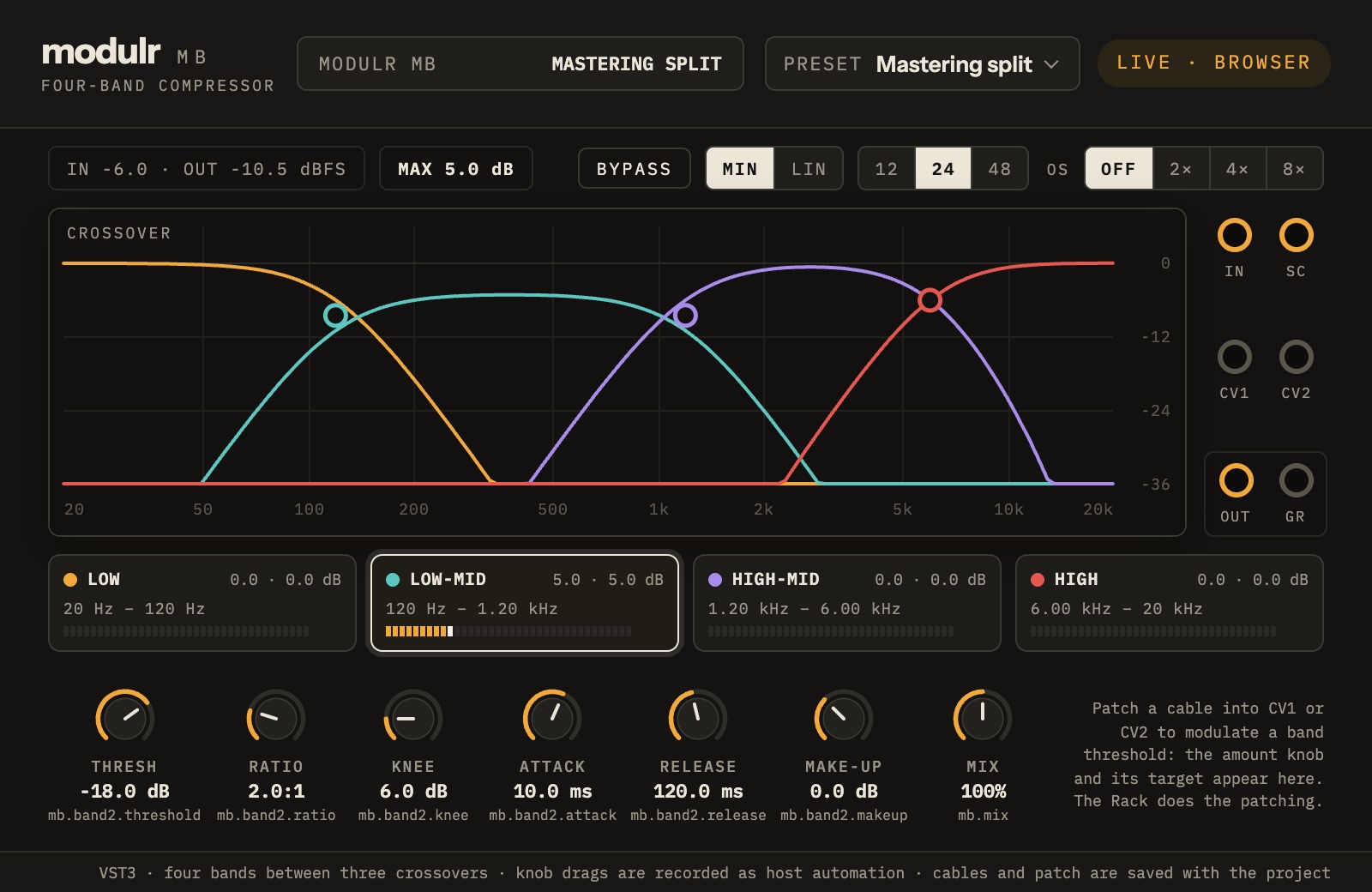
Modulr MB, in a list.
- Four bands, each with its own compressor
- Threshold, ratio, attack, release and make-up per band
- Three splits, set by ear or by number
- Steep or gentle splits, and edges that stay clean
Version 0.1.0, 2026-11-06.
The Modulr Hub app installs it for you, one click, and checks the download on the way in. Prefer doing it by hand? Unzip the file into the folder shown. Ad hoc (no Developer ID) and not notarised, so the first time you load it macOS asks you to allow it (System Settings, Privacy & Security) — normal for a small maker, and it only happens once.
| Format | Folder | File | Size | SHA-256 |
|---|---|---|---|---|
| VST3 | VST3 | Modulr-MB-0.1.0-macos-arm64-vst3.zip | 2.1 MB | aab40327272a1affe13646f24df5a693abfe204b871c2faf9887852fe5e3a791 |
| Audio Unit | Components | Modulr-MB-0.1.0-macos-arm64-au.zip | 2.1 MB | 745bbc759c8e6069d7ba4c39c718b3772db886b921d19319ba1a799e0dd61469 |